Windows
v0.1.0
Installer
Best for most people: a guided setup that creates desktop and Start Menu entries, ready to use right after install.
Windows 10/11 · x64 · approx. 7.7 MB


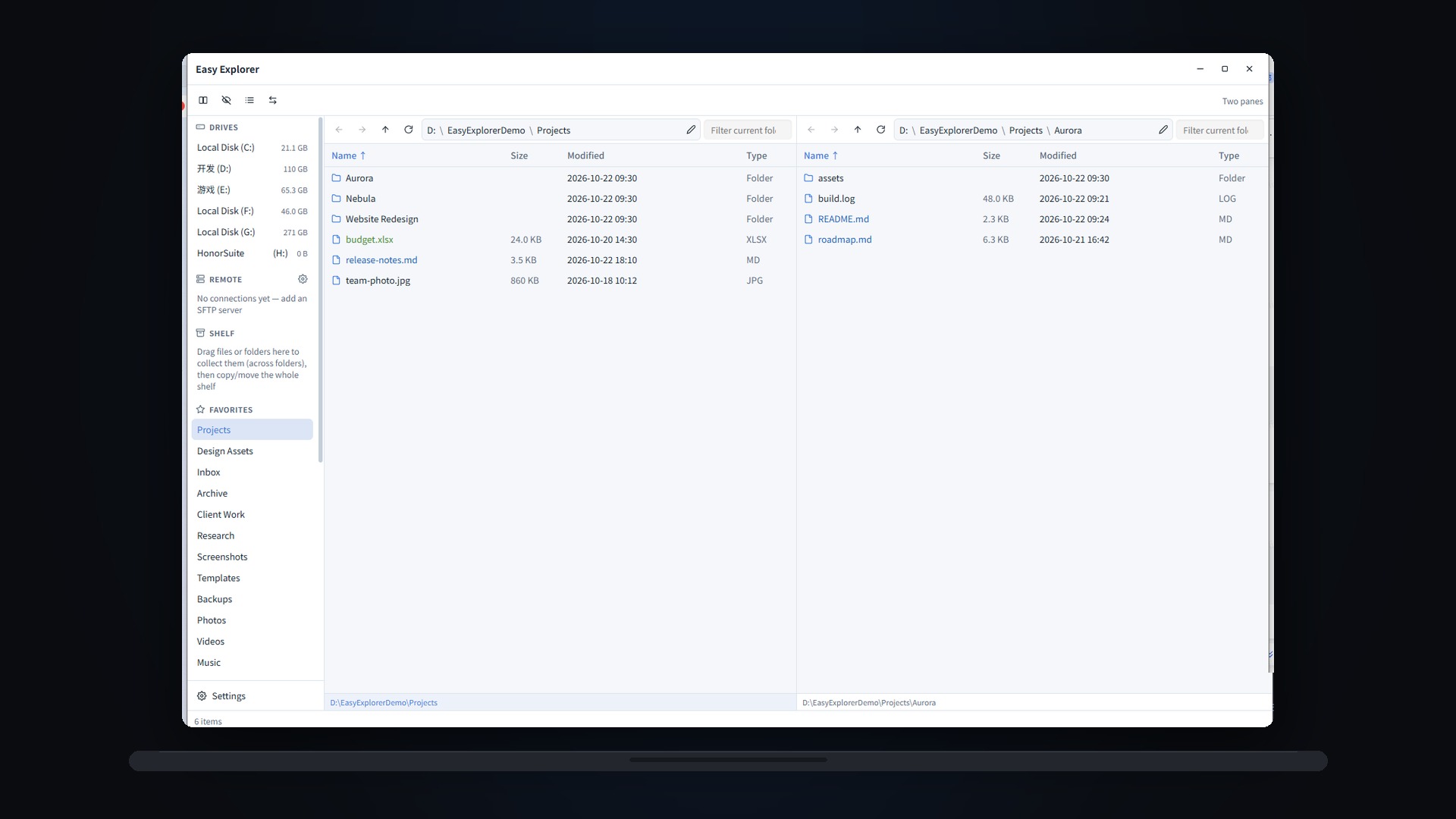
A modern multi-pane file manager for Windows and macOS: Explorer habits you already know, plus panes, workspaces, batch rename and a full view system — everything stays on your device
Keep the Explorer habits you already know and add what a professional file manager should have: single, dual, triple and quad panes with workspace restore; details, icons and columns views; per-folder view memory, grouping, custom columns and view presets. Batch rename previews before it runs, the shelf collects files across folders, and folder sync supports one-way, two-way, mirror and dry-run. Built-in SFTP browsing with upload/download, and a CLI that covers the whole GUI. Everything runs on your device — files never leave it. Born open source under GPL-3.0, free in v1.
Windows 10/11 · macOS (Apple Silicon) · multi-pane · on-device · CLI included · v0.1.0
 Back to Products>
Direct downloads from our site — no third-party store needed. Sign in with the same email on any app; one subscription covers them all.
Best for most people: a guided setup that creates desktop and Start Menu entries, ready to use right after install.
Windows 10/11 · x64 · approx. 7.7 MB
For Apple Silicon (M-series): open the dmg and drag the app into Applications.
macOS · Apple Silicon · approx. 10.2 MB
One subscription covers every app: all desktop products share the same account and membership, so installing more costs nothing extra.See membership →