

Easy Clipboard
Everything you've copied, ready to reuse
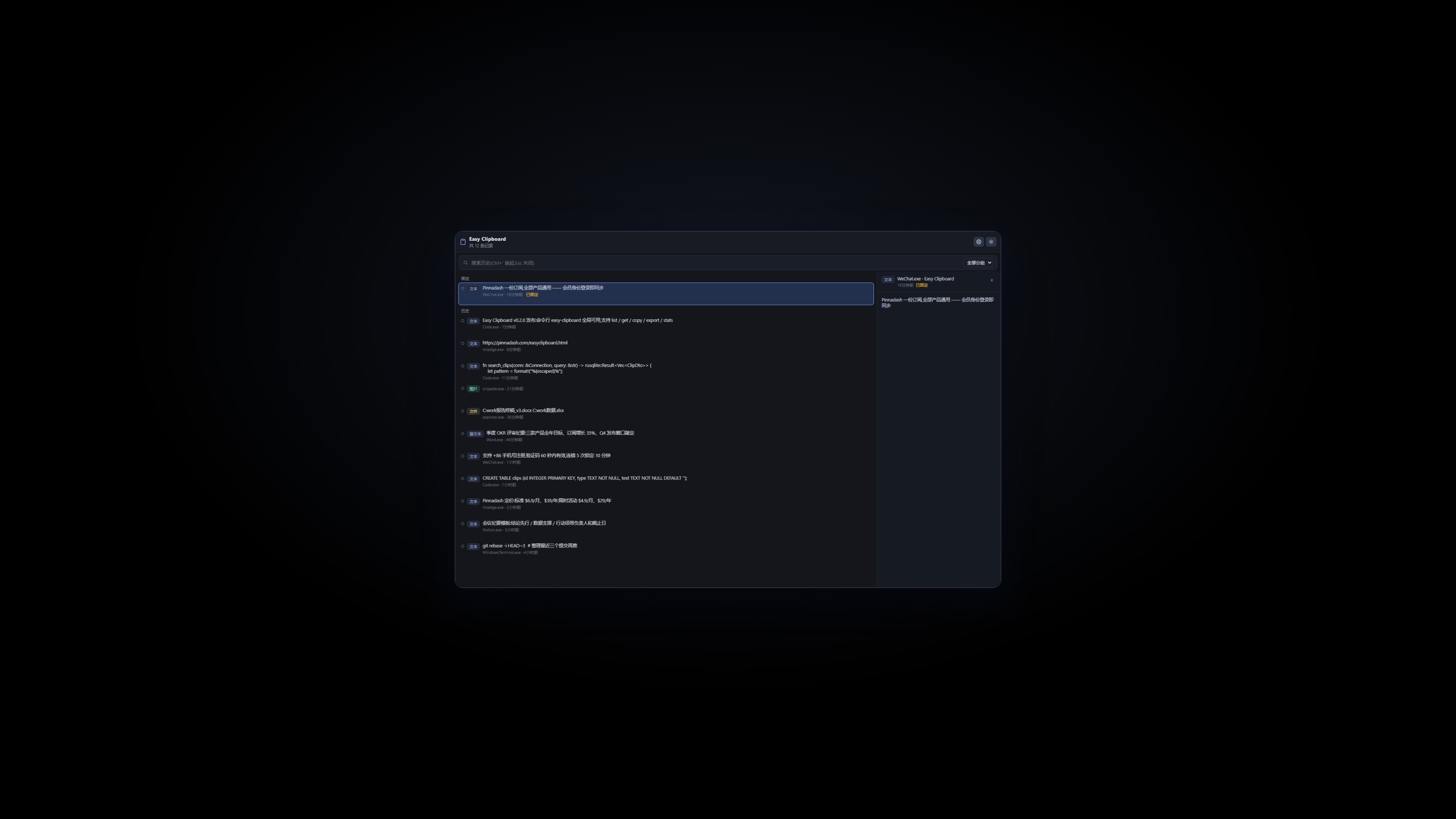
Everything you copy lands here: text, rich text, images and files are recorded automatically. Summon a searchable list with a global hotkey, pin favorites, merge-copy, and paste back in one keystroke. All data stays local, with a CLI included — Windows 10/11.
Windows 10/11 · runs in background · with CLI · v0.5.10
 Membership>
Back to Products>
Membership>
Back to Products>
Features
Auto-captures text, rich text, images and files
Summon with a global hotkey, find history instantly
Pin favorites and merge-copy multiple items
Paste back into the original window in one keystroke
All data stays local — nothing uploaded
Built-in easy-clipboard CLI and SKILL file
Changelog
v0.5.10
2026-09-23
- Returning from the browser now raises the window to the front in one click
v0.5.9
2026-09-23
- Fix: title bar minimize/close buttons were unresponsive (missing window-control permissions since v0.5.0)
- Fix: 'Continue and return to app' deep link broken after overwriting upgrades — installer now self-heals orphaned registry protocol keys
v0.5.8
2026-09-23
- The Account page shows everything at a glance: your sign-in email, membership status, subscription start and expiry dates, last sync time, plus an offline-grace indicator
- When you are signed out, the page now shows a clear sign-in prompt so the entry point is easier to find
v0.5.7
2026-09-23
- Install and auto-update are more reliable: stale processes are closed before upgrading, previously locked component files are released, and PATH registration no longer hangs the installer
- The installer now follows our unified standard: the publisher shows as Pinnadash and the executable name is normalized
v0.5.6
2026-09-22
- Settings groups now render as cards, visually consistent with About/Account
v0.5.2
2026-09-14
- Tray menu blank-space fix: the menu card height now adapts to its content in real time, eliminating the extra blank area at the bottom; popup positioning is more stable.
v0.5.1
2026-09-14
- The quick-list panel gains a search box: focused on open, filters as you type (matching both clip content and source app), with number-key quick paste working on results too; quick paste keys 1-9 are now limited to the first 9 items, and items beyond the 10th no longer show a number badge.
v0.5.0
2026-09-14
- Refreshed tray menu: the right-click menu is now a custom rounded card (white, roomy spacing, line icons, following system light/dark theme), with a new Preferences entry to the settings page and live language sync; the window title bar gains minimize and close buttons — closing hides the app to the tray.
v0.4.1
2026-09-12
- Fixed auto-update stalling forever when WebView2Loader.dll was locked by another program: the installer now renames the locked file aside before overwriting, so updates complete without any intervention
v0.4.0
2026-09-12
- AI now supports the Anthropic Messages protocol (choose it in Settings → AI) for broader relay compatibility.
- Better AI failure logs and error hints; bare-domain API URLs now auto-append /v1.
- Disabled the system context menu in the quick list and sequential-paste bar.
v0.3.0
2026-09-11
- Settings now open as a full in-app page instead of a dialog, covering General/Records/Hotkeys/Groups/Data/Account
v0.2.5
2026-09-11
- Redesigned account page: one-click sign-in when logged out; full subscription details (plan, start date, expiry) once signed in
- New Manage subscription shortcut to the account portal
v0.2.4
2026-09-11
- Settings page gains a Check for updates entry; update checks also run automatically at launch
- First-round UI standard compliance fixes
v0.2.3
2026-09-09
- Fixed sign-in callback: the app now updates to signed-in state right after account center login
v0.2.1
2026-09-08
- Default language switched to English; existing Chinese preference preserved
- Account section fully bilingual
v0.2.0
2026-09-07
- easy-clipboard CLI and SKILL file shipped with the installer
- Account integration with easyclipboard:// deep link sign-in
- Per-machine install; fixed installer broadcast freeze