

Easy Disk
Disk space analyzer: see what's eating your space at a glance
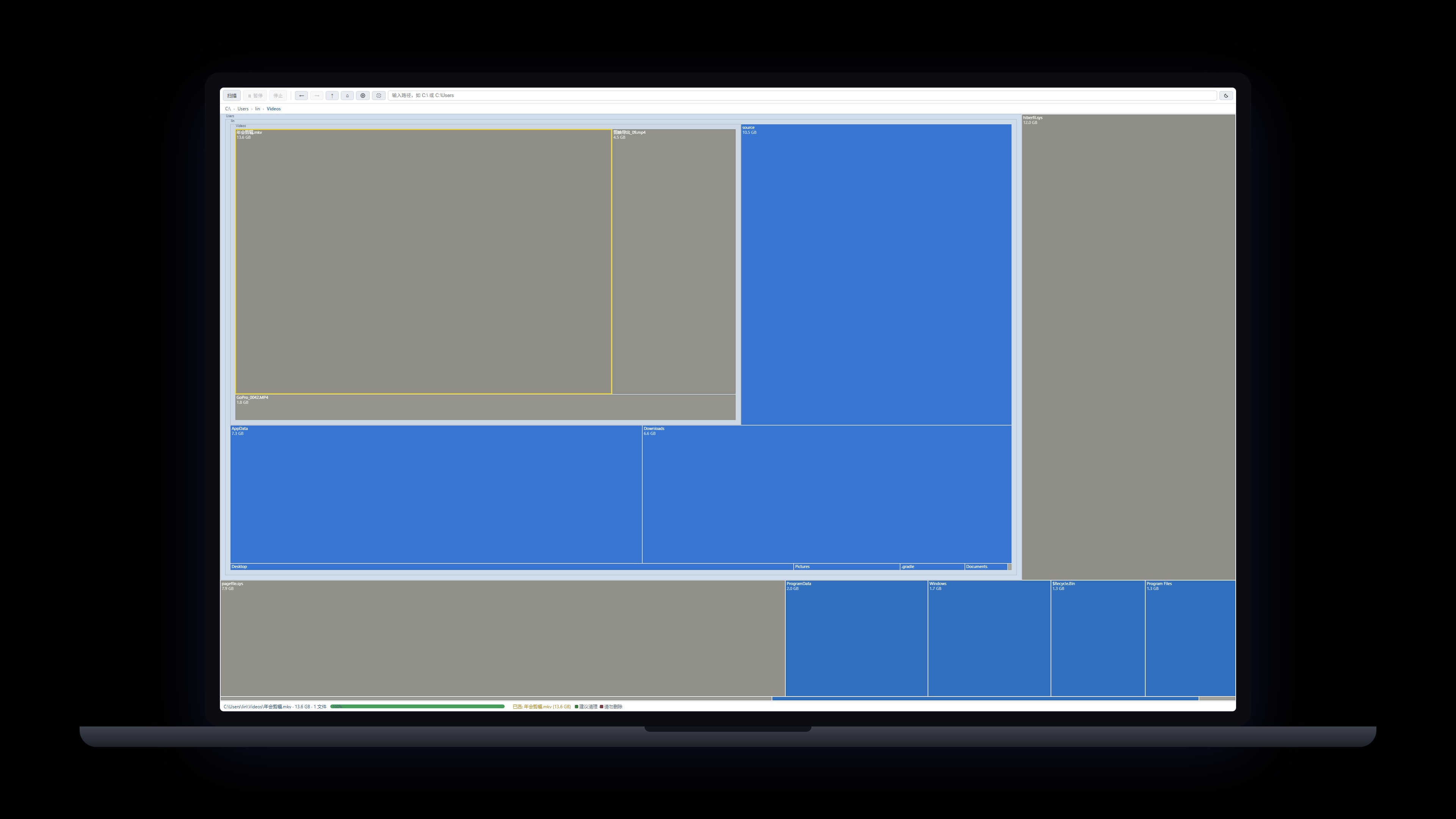
A read-only disk space analyzer that turns your whole drive into a single treemap: block area equals disk usage, so the biggest consumers stand out instantly. Easy Disk only reads and visualizes — it never deletes, modifies, or "optimizes" anything; built-in red/green safety marks (red = protected system paths, green = cache/user data) inform your own judgment. Everything stays on your machine — no uploads; one click hands the folder to Explorer and every action stays yours.
Windows 10/11 · on-device scan · no uploads · v0.9.6
 Membership>
Back to Products>
Membership>
Back to Products>
Features
Read-only by design: never deletes, modifies, or "optimizes" files — Easy Disk only analyzes and locates; every action stays in your hands in Explorer
Treemap at a glance: block area equals disk usage — spot big consumers instantly
Red/green safety marks: red = protected system paths, green = cache and user data (37 built-in rules, customizable)
Progressive rendering: browse while scanning, with pause/resume/stop
Click to select, double-click to drill down, breadcrumbs, ctrl+wheel zoom, drag to pan
Real-time name filtering with wildcards (* ?) — no rescan needed
Right-click to locate in Explorer; fully on-device scanning, nothing uploaded
Changelog
v0.9.6
2026-09-23
- Returning from the browser brings the window to the front in one click
- Installer upgrade: deep-link return-to-app no longer breaks after an overwrite install
v0.9.5
2026-09-23
- The Account page now lists your sign-in email, membership badge, subscription start, expiry date (with days left) and last sync time
- A sign-in prompt appears when you are logged out, and offline-grace status shows on the badge
v0.9.4
2026-09-23
- Install and auto-update are more reliable: stale processes are closed before upgrading, and the command-line tool is installed and removed together with the app
- The installer now follows our unified standard: the publisher shows as Pinnadash and the executable name is normalized
v0.9.3
2026-09-21
- Scan memory fix: no more freezes on huge drives; UI memory is now bounded
- Skip directory junctions/symlinks: no more infinite recursion or double-counted sizes
- Directories expand on demand; partial data is viewable mid-scan
- The Scan button now opens a drive picker dialog for easy switching
- Observability: scan progress/memory logged; renderer hangs detected by heartbeat watchdog
- New --exit-after-scan flag for unattended automation
v0.9.2
2026-09-14
- Tray menu blank-space fix: the menu card height now adapts to its content in real time, eliminating the extra blank area at the bottom; popup positioning is more stable.
v0.9.1
2026-09-14
- Tray menu fully aligned with the design standard: removed the redundant menu item (left-click the tray icon to reopen the window), closing the window now hides it to the tray (use the tray menu to quit), and the right-click menu is redrawn in a brand-new custom style — white rounded card, roomy spacing, line icons, following the app's light/dark theme, matching Easy Screenshot.
v0.9.0
2026-09-12
- Account system: new Account group at the top of Settings — sign in via system browser (one-time email link) with automatic deep-link return; shows email, plan and expiry inline with manage subscription, refresh and sign-out; 7-day offline grace for member entitlements.
- hda-cli ships with the installer: no admin required, full CLI for scanning and red/green rule checks with --json/--depth/--top; 37 rules ported 1:1 from the GUI, SKILL.md available on the website for agent integration.
v0.8.0
2026-09-12
- New system tray: right-click menu to open the app, jump to Settings, or quit; labels follow the system language
- Frameless custom title bar: drag anywhere to move the window, with window controls and theme-aware styling
- Check-for-updates and version info moved into Settings, leaving a cleaner toolbar with a single gear entry
v0.7.0
2026-09-11
- New settings page bundling theme (system/light/dark, follows system by default) and language
- In-app update checking: one-click from the toolbar plus silent automatic checks
- Full English/Chinese interface with instant switching
v0.6.1
2026-09-11
- New toolbar Check for updates button; update checks also run automatically at launch
- First-round UI standard compliance fixes
v0.6.0
2026-09-09
- Windows desktop app officially released with direct download
- Fast native scan engine + file-level treemap; installer only ~4MB
- Red/green safety marks (37 built-in rules) and command-line scanning