
Easy Image
Batch image processing: watermark, convert, compress — all on your device
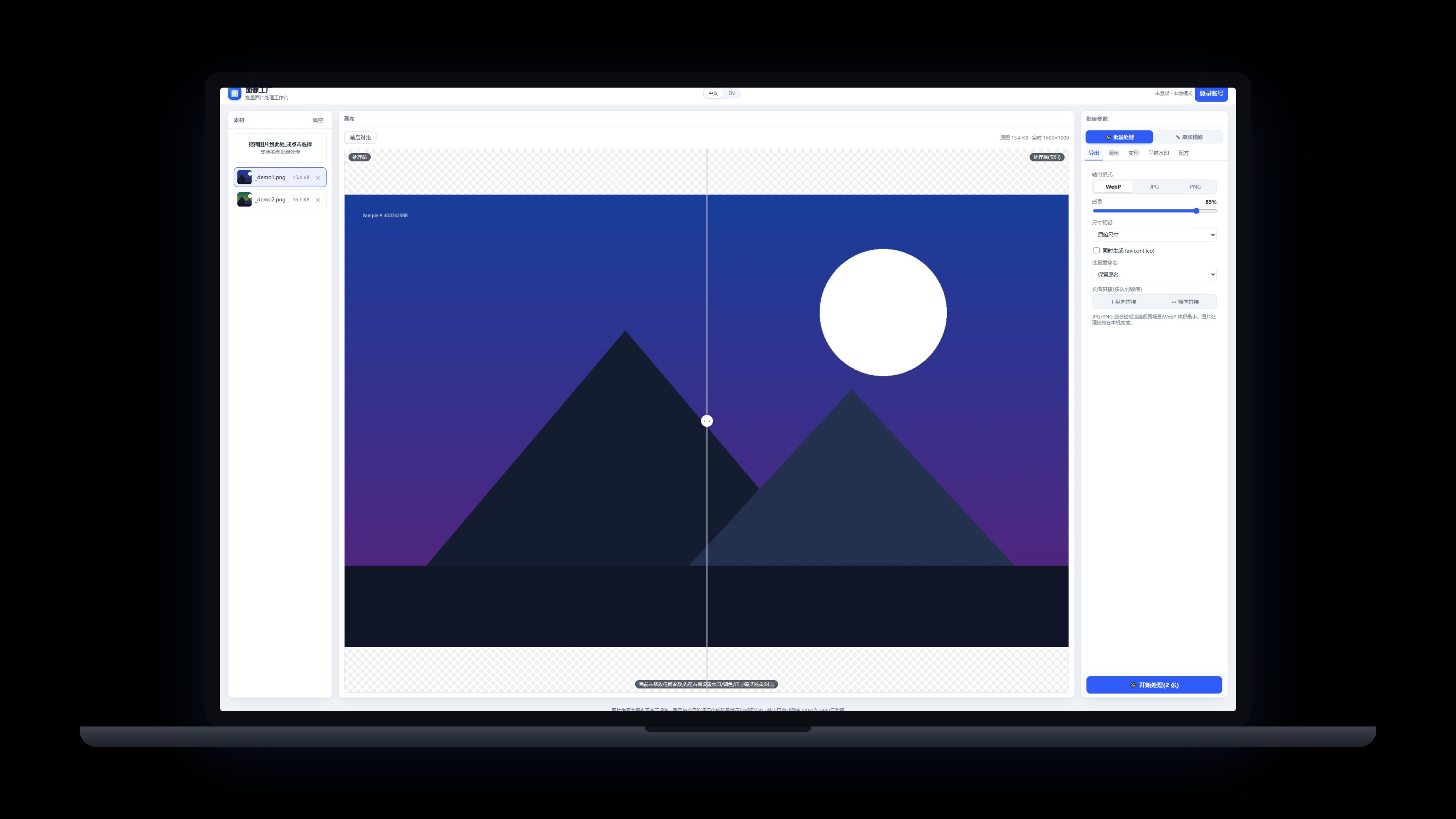
Watermarking, rotate/flip, format conversion, compression, batch processing and single-image edits (crop & mosaic). Everything runs on your device — images never leave it, and output is automatically stripped of EXIF (including GPS) metadata.
Windows 10/11 · on-device · images never upload · v0.4.5
 Membership>
Back to Products>
Membership>
Back to Products>
Features
Watermarking: text or image, applied in batch
Format conversion and compression with minimal quality loss
Batch processing plus single-image edits (crop & mosaic)
Everyday adjustments like rotate and flip
Fully on-device — images never leave your machine
Output auto-stripped of EXIF (incl. GPS) metadata
Changelog
v0.4.5
2026-09-23
- Fix: account login didn't take effect — the return-to-app callback was never received, so the UI stayed signed out
- Fix: 'Continue and return to app' no longer spawns a second Easy Image; it raises your existing window
- Installer upgrade: deep-link return-to-app no longer breaks after an overwrite install
v0.4.4
2026-09-23
- The Account page now lists your sign-in email, membership badge, subscription start and expiry date; lifetime plans show as permanent
- A sign-in prompt appears when you are logged out, and offline-grace status now shows on the badge
v0.4.3
2026-09-23
- Install and auto-update are more reliable: stale processes are closed before upgrading, so overwriting files no longer gets stuck
- The installer now follows our unified standard: the publisher shows as Pinnadash and the executable name is normalized
v0.4.2
2026-09-22
- Unified About/Account cards: header row joins the card body; settings layout aligned with company standard
v0.4.1
2026-09-19
- Account sign-in and membership moved into Settings → Account; cleaner top bar
- About page adds Terms of Service, Privacy Policy, Contact Us and Report a Problem
v0.4.0
2026-09-12
- Freemium gate: the free plan processes up to 20 images per batch; members get unlimited batches (CLI included)
- Fixed the missing sign-in entry in production builds; account login and membership now work
v0.3.0
2026-09-11
- Pinnadash account sign-in with membership status sync
- Settings move to a dedicated page with dark theme support (system/light/dark) and language options
- In-app update checks (manual + automatic) and full desktop UI standard compliance
v0.2.3
2026-09-11
- New settings page with a Check for updates entry; update checks also run automatically at launch
- First-round UI standard compliance fixes
v0.2.1
2026-09-08
- Default language switched to English; Chinese switchable in settings
- Account section fully bilingual
v0.2.0
2026-09-07
- Windows desktop app officially released with direct download
- Account integration with imagefactory:// deep link sign-in
- Per-machine install to Program Files